
Features

Alphalearn's AI agents were built specifically for digital education. See what they can do...

How Alphalearn works

Alphalearn Portal: The control center for your Moodle plugin

In the Alphalearn Portal you set up your AI tutors and place them directly in your Moodle platform with the accompanying Moodle plugin.

Alphalearn For education providers
Tutor
Twin
Support
Assist
Tutor
Twin
Support
Configuration: Twin
DidacticsSocratic dialogue
Knowledge baseScripts & PDFs
Learner profilelearning progress
Create & configure agents
Moodle plugin
Moodle ILIAS
For learners
Alpha Assist
I'm your Moodle assistant.
AI tutor synced: Assist
The four agents

Four AI agents support learners and educators

Four preconfigured templates that you tailor in the Alphalearn Portal. Each agent takes on a task of its own for you as an education provider – and all of them work hand in hand with learners and educators: for a better learning experience and more time for personal mentoring.

Alpha Tutor

For courses, academies and universities

I guide learners through the course, answer questions about the course content and support them with exercises, research and learner profiles.

  • Course Sync
  • Didactics
  • Practice Mode
  • Learner Profile
  • Knowledge Base

Alpha Twin

For educators who want their own assistant

I'm the digital twin of an educator: I answer based on your content and in your style, work alongside an Alpha Tutor and hand over to you when your expertise is needed.

  • Tutor Link
  • Handover
  • Escalation
  • Knowledge Base
  • Educator Management

Alpha Support

For support, sales and consulting

My expertise is technical support, sales and consulting based on your FAQs. Embed me in your website so I can look after prospects and write emails and tickets.

  • Knowledge Base
  • FAQ
  • Websites
  • Lead Capture
  • Email & Tickets

Alpha Assist

For learning management systems such as Moodle

I'm at home in your Moodle dashboard. Feed me FAQs and I'll create click paths so learners can find their way around your Moodle platform.

  • Knowledge Base
  • FAQ
  • LMS Integration
  • First Level
Two learning methods

You decide how autonomously the AI shapes the learning process

Extend your existing Moodle and ILIAS courses with an AI learning companion – or let the tutor take over in guided learning mode.

Course-accompanying learning support
Your Moodle course + AI tutor

Course-accompanying learning support

Your learners follow your Moodle course as usual. The AI tutor accompanies them along the way – answering questions, explaining content, creating exercises, providing fitting practical examples and much more. The course still sets the learning path.
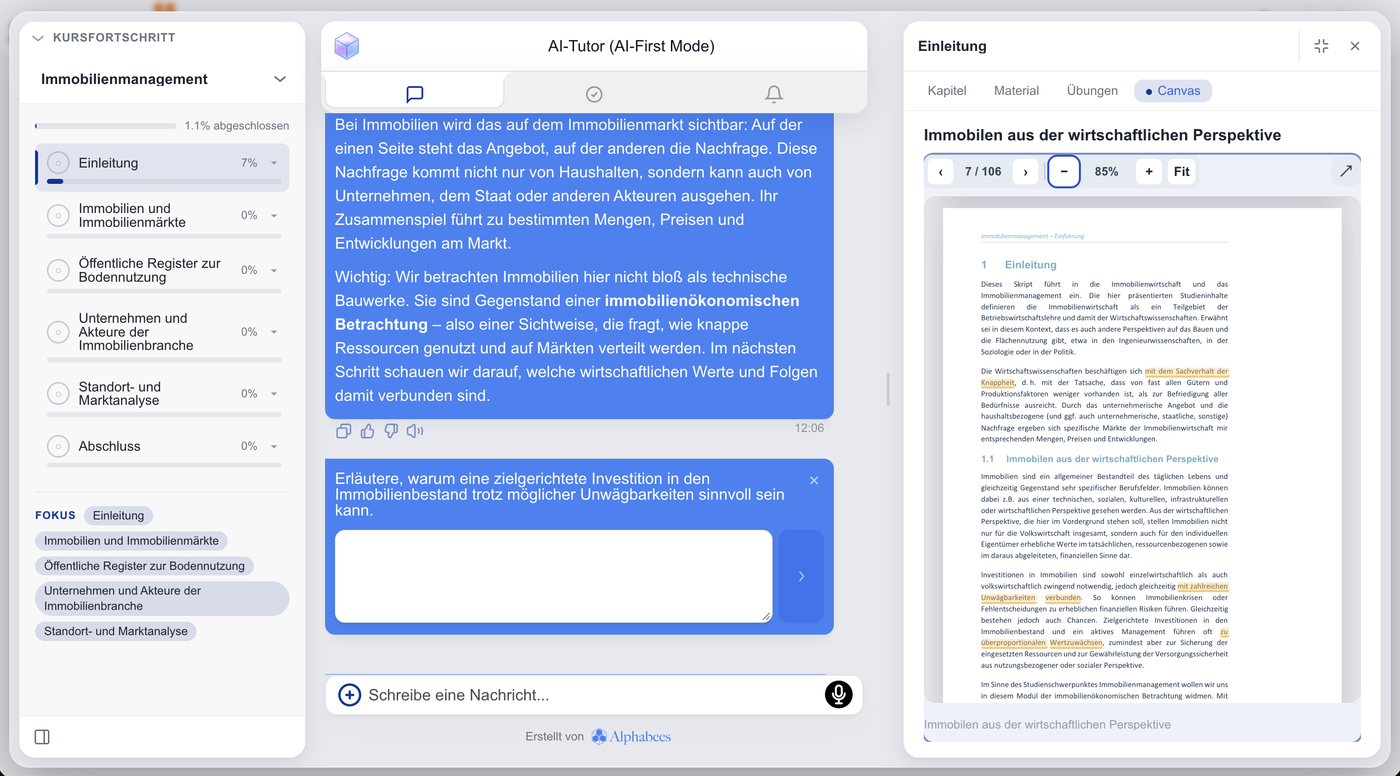
Guided learning mode
AI-first mode

Guided learning mode

The AI tutor launches the Moodle course in full screen: it structures the learning path, sets learning goals, creates exercises and adapts the content to each learner's progress. Your Moodle course or a PDF serves as the knowledge base and can be shown in the side panel at any time.

Overview

Explore what Alphalearn can do

Click on an area to learn more about it.

Guided Learning Mode

The AI tutor works through the course with learners like a private tutor – step by step, in full screen with a progress display, adapted to their strengths and weaknesses.

  • It guides, asks questions, checks knowledge, remembers gaps, revisits and closes them – and only moves on once a chapter has truly sunk in.
  • A PDF upload in Moodle is enough: Alphalearn automatically detects the document's structure and learning objectives – no classic Moodle course required.
  • Every session can be ended at any time and resumed at the same point. Optionally, the tutor also searches the Moodle forums for answers.

Intelligent AI Chat

The AI tutor answers questions in real time based on your course content. It understands context, nuance and pedagogical goals.

Personalized Practice

The AI tutor creates personalized exercises based on course content and each learner's level – in different task formats. After each exercise, learners receive an evaluation and individual feedback with concrete improvement tips.

Active Learning Support

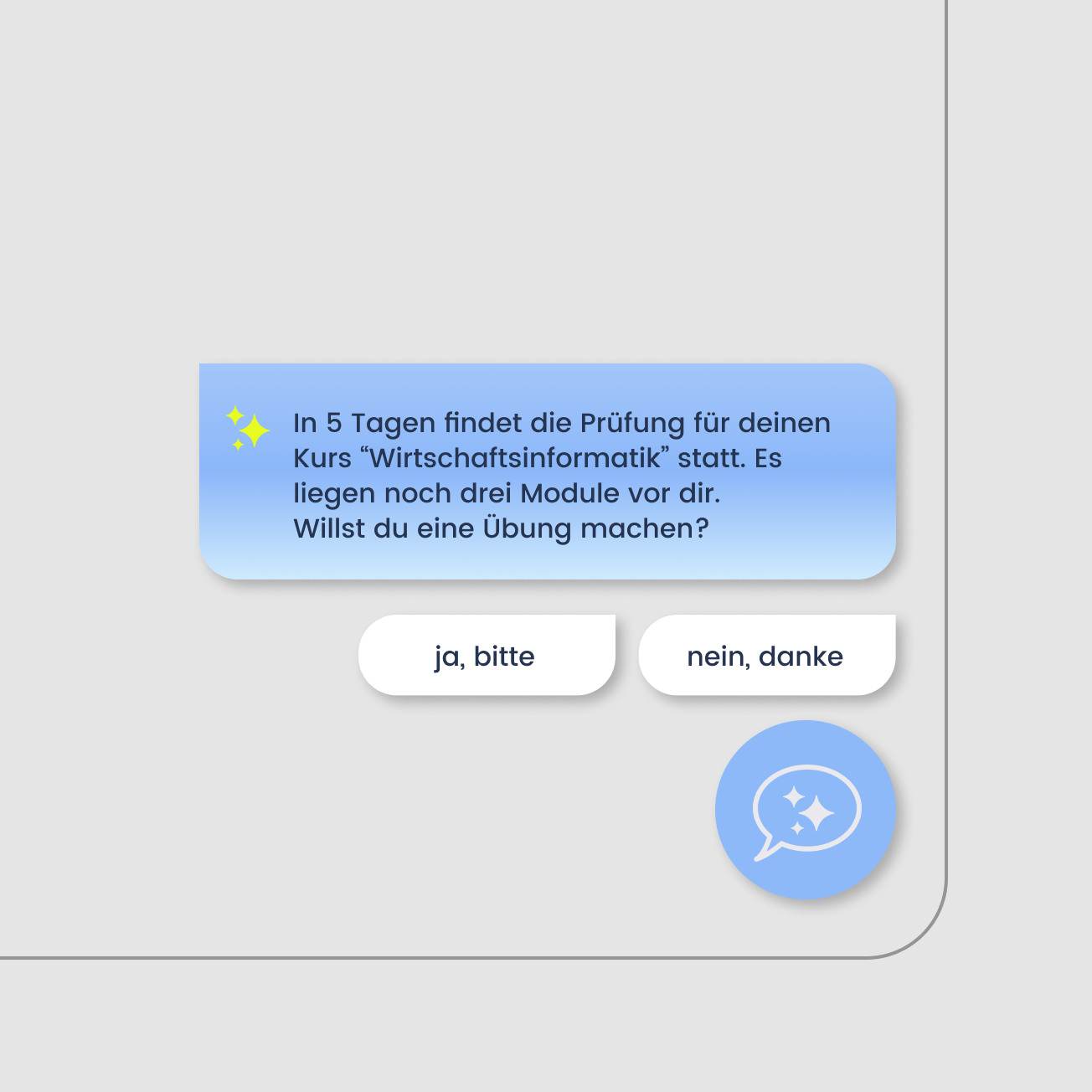
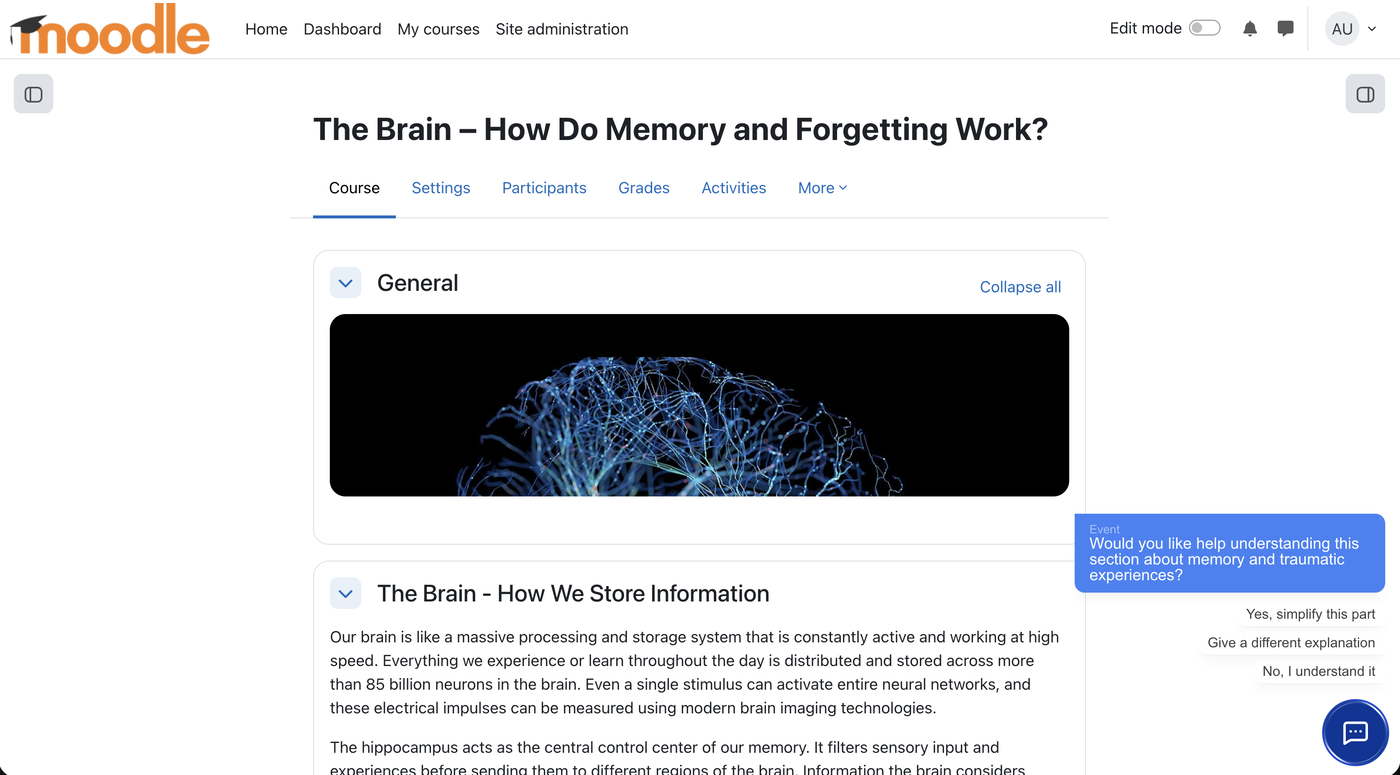
The AI tutor takes an active role in the learning process, offers proactive prompts and offers targeted help as soon as it is needed. All hints are contextual and match the currently opened course section.

80+ Languages

80+ Languages

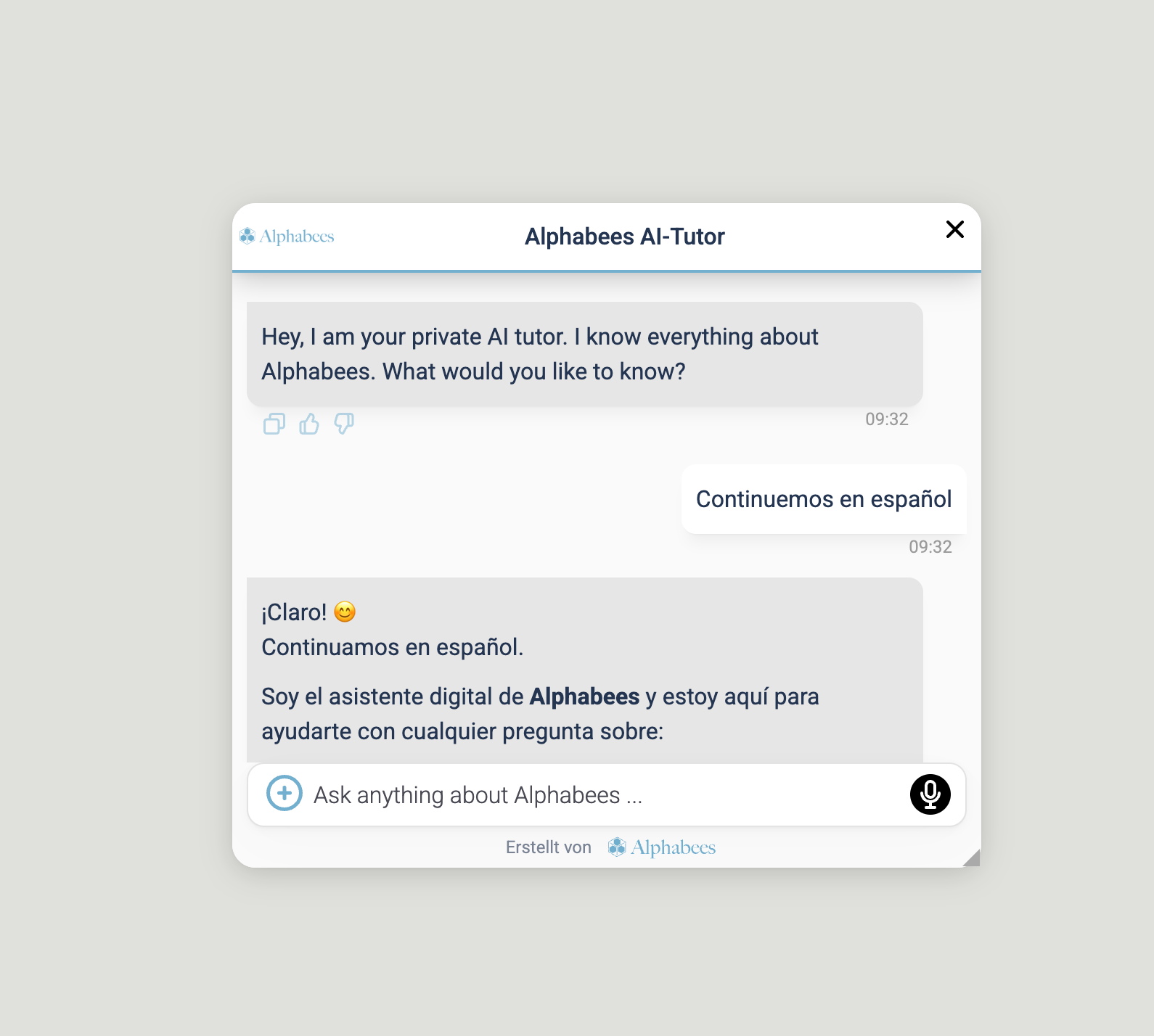
The AI tutor speaks 80+ languages and automatically adapts to each learner's language and proficiency. It uses the browser's preset language as the default and also responds to language switches.

Adaptive learner profiles

The AI tutor recognises individual strengths, weaknesses and progress and continuously adapts exercises, hints and explanations to each learner's level. Thanks to its long-term memory it also takes earlier interactions, learning patterns and recurring difficulties into account – across courses and, if needed, over several years. Learners can view their own learner profile, track their progress and work specifically on their weak spots.

Individual curriculum

Curriculum mode structures learning into daily and weekly units. A dedicated tab shows the plan, and a notification reminds learners of their daily unit when they log in.

Didactic dialogue modes

The AI tutor masters several didactic dialogue modes that you use depending on the learning goal:

  • Declarative mode – Answers framed didactically with an introduction, main part and summary.
  • Socratic mode – The tutor replies with targeted counter-questions and guides learners to their own understanding.
  • Debate mode – Learners test arguments, switch perspectives and deepen their knowledge in dialogue.
  • Reflection questions – Questions about what was learned prompt reflection – what is clear, where do uncertainties remain?
  • Practical examples – Concrete use cases and scenarios make abstract knowledge tangible and ease the transfer into practice.

Research & Web Search

Learners explore topics independently and work through them in a structured way – the AI tutor supports research and web search.

1 / 9

Agent configuration

In the Alphalearn Portal you define how the AI tutor behaves. Prebuilt templates represent proven didactic scenarios and can be adapted flexibly to your teaching and learning concept.

Generate exercises

Educators, trainers and admins create exercises in the Alphalearn Portal in three ways: generate them with AI from their own knowledge base, build them from scratch or upload existing exercises.

Verify exercises

Our AI tutors generate exercises from your knowledge base and check results on their own – some education providers, however, prefer a human-in-the-loop approach. That is why you can upload your own exercises to the Alphalearn Portal, generate them with AI or create them manually. Send your verified exercises to entire Moodle courses or individual learners, who see them clearly in the chat, give them to your AI tutors as a teaching tool or move them directly into the knowledge base.

Distribute exercises

Finished exercises reach learners in two ways:

  • Release to the AI tutor – Released as a verified exercise, learners can call it up at any time in practice mode.
  • Send it directly – Alternatively, send the exercise to individual learners or a whole Moodle course – it appears right in the chat, where learners work on it and the AI checks it.

Intelligent Handover

Learners use the AI tutor not only for questions about course content, but also for study organization or technical problems. You decide whether another AI agent takes over or the question is forwarded to a real teacher. Complex or unresolved requests thus automatically reach the teacher or the support team.

Individual support

If the AI cannot find an answer in its knowledge base, you can allow the AI tutor to forward the learner's request to the educators or trainers. This individual need for support then lands in the inbox of the responsible teacher.

Generate Moodle courses

With the Alphalearn Course Creator you describe in the chat which course you need – the AI turns it into a complete Moodle course: course name, description, learning objectives and a course structure of sections with pages, labels, forums, assignments and quizzes. You refine structure and content right in the editor. The finished course is then placed directly in your Moodle instance with a single click – perfectly formatted and ready to use.

1 / 7
Moodle activities
Moodle
Articulate courses
Articulate
iSpring courses
iSpring
SCORM packages
SCORM
Video content
Animated robot icon
AI Tutor

No More Duplicate Data Maintenance

With Alphalearn Auto-Sync you only maintain your Moodle course — the AI tutor keeps itself up to date. It automatically reads all content of your Moodle course.

Course synchronisation

Even with just 10 courses, you do not want to manage 10 different AI tutors with 10 different knowledge bases. Nor do you want one (all-knowing) AI tutor placed in all 10 e-learnings. The solution: Alphalearn course synchronisation. Create an AI tutor template once and link it to any number of Moodle courses. With two clicks you get, say, 10,000 AI tutors with individual course knowledge, placed right inside each course.

Extending the knowledge base

A placed AI tutor automatically synchronises the knowledge of its Moodle course. Beyond that, you can enrich the knowledge base of an AI tutor template or of a single tutor placed in a specific course – with text documents, web sources and additional Moodle courses. All managed centrally in the Alphalearn Portal.

Link courses

Auto-sync also works across several courses: simply link the courses whose knowledge an AI tutor should have. Placed in module 3, for example, it additionally draws on the content of modules 1 and 2 and answers questions that build on earlier material – and all linked courses stay up to date automatically.

Various Moodle activities

Various Moodle activities

Not just pages and PDFs: Alphalearn synchronizes every activity in your Moodle course – quizzes, lessons, forums, calendar, videos, H5P, SCORM packages plus Articulate and iSpring courses. Forum discussions flow into the AI tutor's knowledge as well.

Source Citations

Source Citations

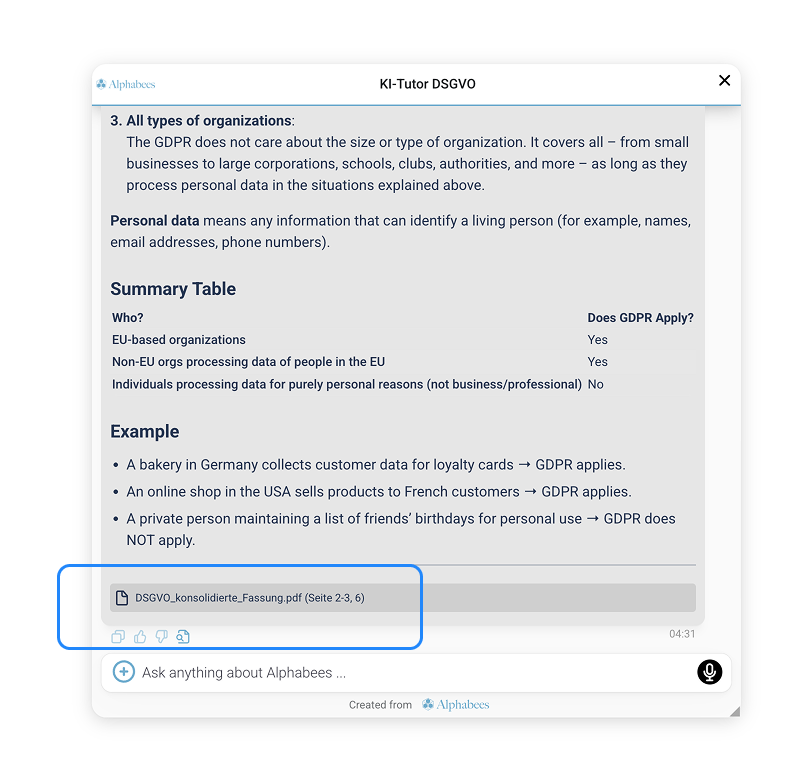
Below every answer, the AI tutor shows the source it used – so it is transparent which document in the knowledge base the answer comes from. Document sources open as the original document right inside the AI chat, at exactly the relevant passage; course or web sources open as hyperlinks. That builds trust; the admin can switch the display on or off.

Didactic parsing

Alphalearn reads your Moodle course didactically – or just the PDFs you have uploaded there. The AI tutor recognises course structure, learning objectives and exercises and understands how the content builds on itself. This is the foundation of guided learning mode: from the parsed material the tutor creates a guided learning journey – without you having to rebuild the course.

Integrations

Besides Moodle, you connect your Alphalearn Portal directly to Microsoft SharePoint, Google Drive or Dropbox – for a seamless knowledge flow without manual uploads or duplicate data maintenance. All content remains in its source systems and is used as one unified data source.

1 / 8
Moodle Block Plugin

Moodle Block Plugin

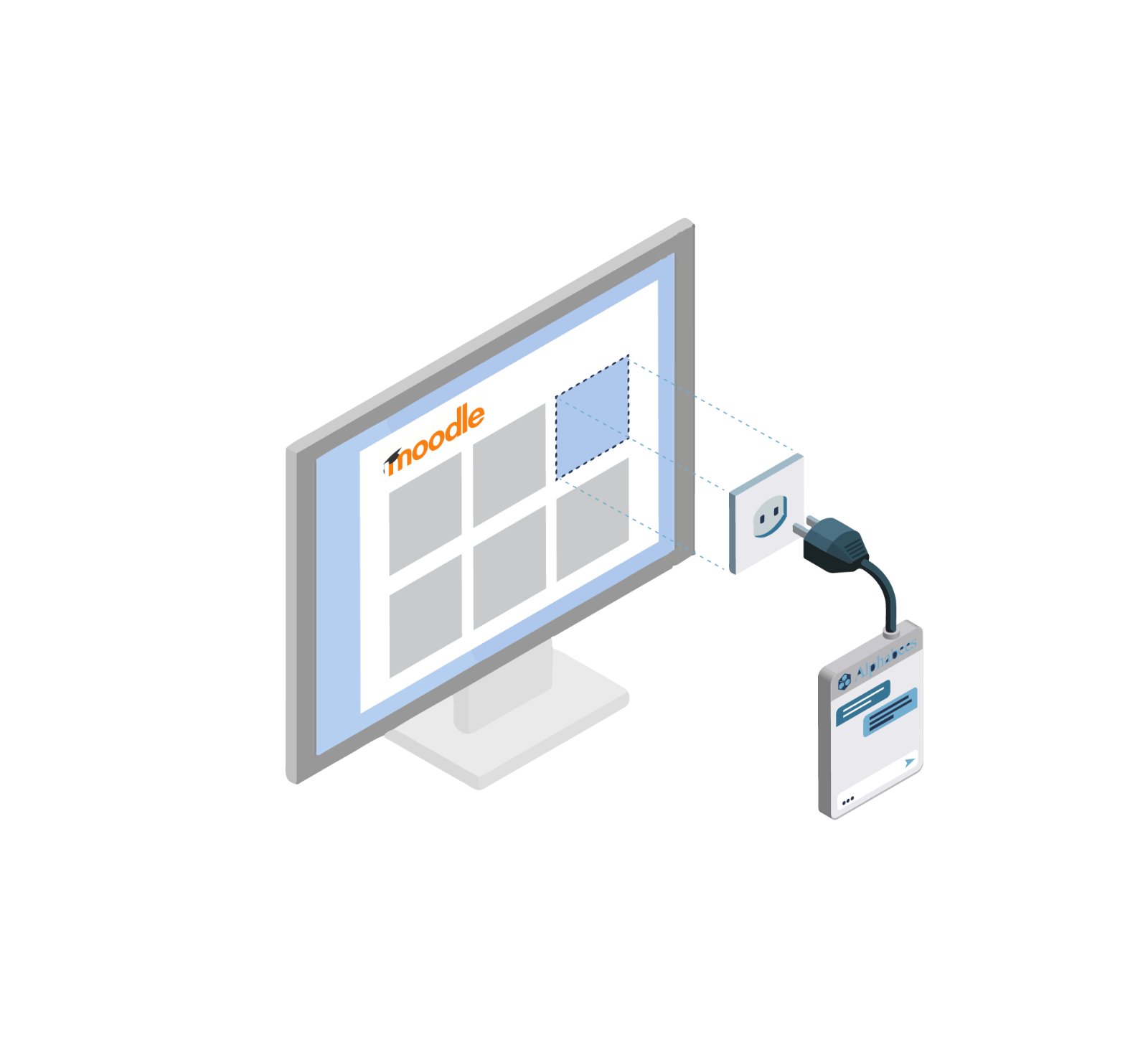
Create an AI tutor from your course knowledge and integrate it directly into your Moodle instance via the Alphabees Moodle block plugin – plug and play. Learners get support where they learn: inside the course, on desktop and in the Moodle Mobile App.

Moodle calendar

Moodle calendar

Link the AI tutor with learners' Moodle calendars so it can point them to upcoming dates. The calendar data flows into the knowledge base.

Moodle forum

The AI tutor reads along in your course forums: questions, answers and hints from the forum flow into its knowledge base, so it also knows topics that only came up during the course – and points learners to the relevant forum post when useful.

Moodle course room

The AI tutor knows the course room it is placed in: sections, activities, materials and dates. That lets it guide learners to the right place in the course and answer questions in the context of that specific course.

Grades

The AI tutor can take learners' Moodle grades into account: it sees where results are weak and targets explanations and exercises accordingly. Teachers keep full control of grading – the tutor only uses grades to support learners.

Course progress

Course progress from Moodle is available to the AI tutor: it knows which sections and activities learners have already completed, picks them up right there and reminds them of open tasks.

LTI 1.3 interface

Via the LTI 1.3 interface you integrate Alphalearn AI tutors into learning platforms in a standards-compliant way – with secure single sign-on and automatic hand-over of course and user context, no dedicated plugin required.

ILIAS integration

Alphalearn is also available for ILIAS: the AI tutor is embedded in your ILIAS courses and uses the course content there as its knowledge base – with the same features as in Moodle.

Cloud services

Your content gets to where the AI tutor needs it – no matter where it lives: upload documents directly in the Alphalearn Portal, sync them from Moodle or connect the cloud storage your team already uses. We currently support Google Drive, Microsoft SharePoint and Dropbox – the knowledge base automatically stays in step with the source. Using a different service? We are happy to build custom cloud connections for you as well.

Web & SCORM Embedding

You embed your AI agents seamlessly into your Moodle instance, other LMSs, your website or a SCORM package – for example as a sales or consulting assistant on your website.

1 / 10

AI models and limits

Choose the right AI model per agent across different intelligence levels – from fast, low-cost models for simple questions and high volume to premium models for demanding tasks; the credit cost is shown right next to it. On top, you set token limits: as a cap on the length of individual AI answers and as a usage quota per learner – per day or per month. Costs and usage stay under control at all times.

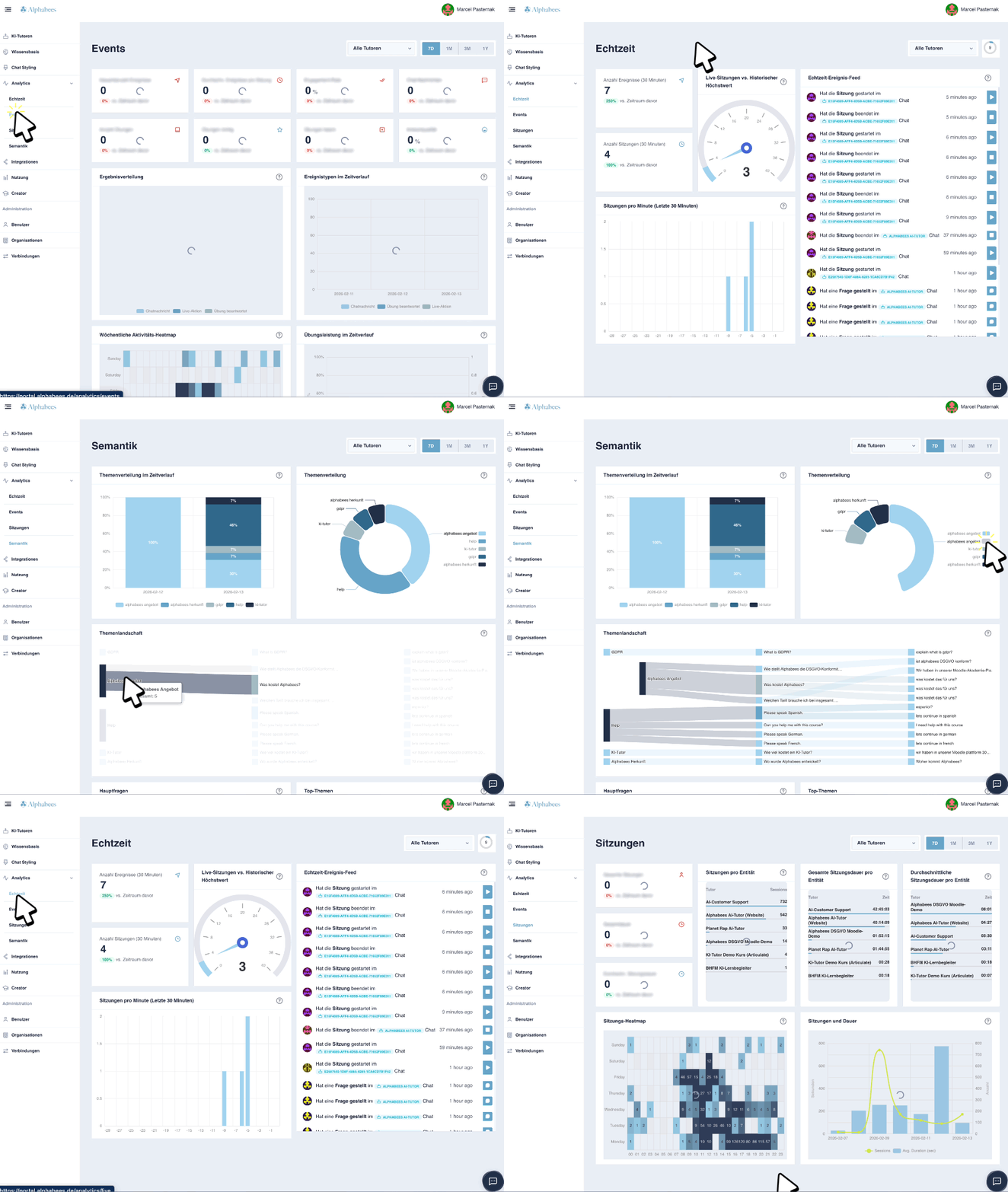
Alphalytics Portal

Alphalytics Portal

The Alphalytics Portal – Alphalearn's AI analytics portal – evaluates interactions with the AI tutors and shows in a dashboard which questions learners ask, where comprehension problems arise and which content most often requires support. The Analytics Assistant singles out the most important metrics from all the data and delivers precise analyses and recommendations for action.

GDPR & Hosting in Germany

GDPR & Hosting in Germany

Hosted on trusted German servers with a GDPR-compliant architecture and the highest privacy standards. Your rights stay with you; a data processing agreement (DPA) is provided.

Ethical Guardrails

AI needs clear boundaries. With the guardrails in the Alphalearn Portal you define what your AI tutors may talk about and whether rule violations are logged, redirected or blocked. Preconfigured guardrail templates based on UNESCO's ethical guidelines for AI in education can be activated directly in the portal, customized individually or extended with your own rules.

Quality control

Learners rate every AI answer with a thumbs up or down – with a thumbs down they can add in one sentence what was missing or wrong. All ratings come together in the Alphalearn Portal: you spot weak answers, extend the knowledge base where it matters and improve your AI tutors step by step.

Roles & Permissions

In the Alphalearn Portal you assign roles and permissions so that lecturers and trainers only see the courses and participants they are responsible for. Through role management you invite team members to collaborate on administration.

Approval processes

Certain tasks in the Alphalearn Portal are tied to roles or need approval first, and every change is logged – especially helpful when many people work in the portal together.

1 / 7

Powered by:

Convince yourself with your own course content

The Free plan costs nothing, requires no credit card — and your first tutor is up and running in minutes.

Questions & Answers

Here you’ll find more information about the Alphabees AI Tutor and our services.

An AI tutor supports learners right in the course — with instant answers, summaries, examples, personalized practice, and clear explanations. It uses your course content (and any sources you add) as its knowledge base, so responses stay aligned with your e‑learning and drive progress. Learners get the help they need without ever leaving the platform.
Try the Alphabees AI Tutor for free and launch it instantly in your LMS. Plans start at €79/month. For detailed pricing, visit: alphalearn.ai/en/pricing.html
Alphabees gives you access to top AI providers and the latest high‑performance models. Choose between open‑source and closed‑source options. Currently available: OpenAI, Anthropic, Google, Meta, Mistral, Groq, DeepSeek. Pick your preferred provider — no separate contract required. If you want to bring your own model or a self‑hosted open‑weight model like LLaMA 3, just reach out. We’ll help you connect your API key.
No. Alphabees gives you access to top AI providers and the latest high‑performance models. Just choose a provider in the Alphabees portal when you set up your tutor. All AI usage costs are already included in your plan.
Yes. Our AI tutors integrate into common LMS platforms, so they fit seamlessly into your existing learning flow. For Moodle we even built a dedicated plugin — easy to set up with no technical knowledge.
All data is securely hosted on our servers in Germany, ensuring GDPR compliance.
Yes. The Alphabees AI Tutor is GDPR‑compliant and built to meet EU AI Act requirements. Unless profiling for adaptive, learner-specific AI tutoring is enabled in the Alphalearn portal, we store no personal data and don’t use your data to train models. A GDPR‑compliant data processing agreement (DPA) exists between Alphabees and each AI provider, and we sign a DPA with every customer as well. In line with the EU AI Act, the tutor is used as a supportive learning tool, clearly labeled as AI via a disclaimer banner, and does not make automated decisions with legal or performance consequences. In addition, the tutor is accessible in accordance with WCAG 2.2, conformance level AA.
Yes. Alphabees is the only AI tutor that also works inside the Moodle Mobile App. With our dedicated plugin, learners can use the full AI assistance on the go, right inside their Moodle courses.

Still have questions?

Got more questions about Alphabees or the AI tutor? Our AI support bot is trained on all our knowledge — it can likely answer right away.

AI-Customer Support Live