The AI Tutor Moodle plugin

Keep your course structure. Seamless integration into your existing Moodle instance.
Intelligent Learning AI

Seamless Integration

Ready to use in any Moodle instance.

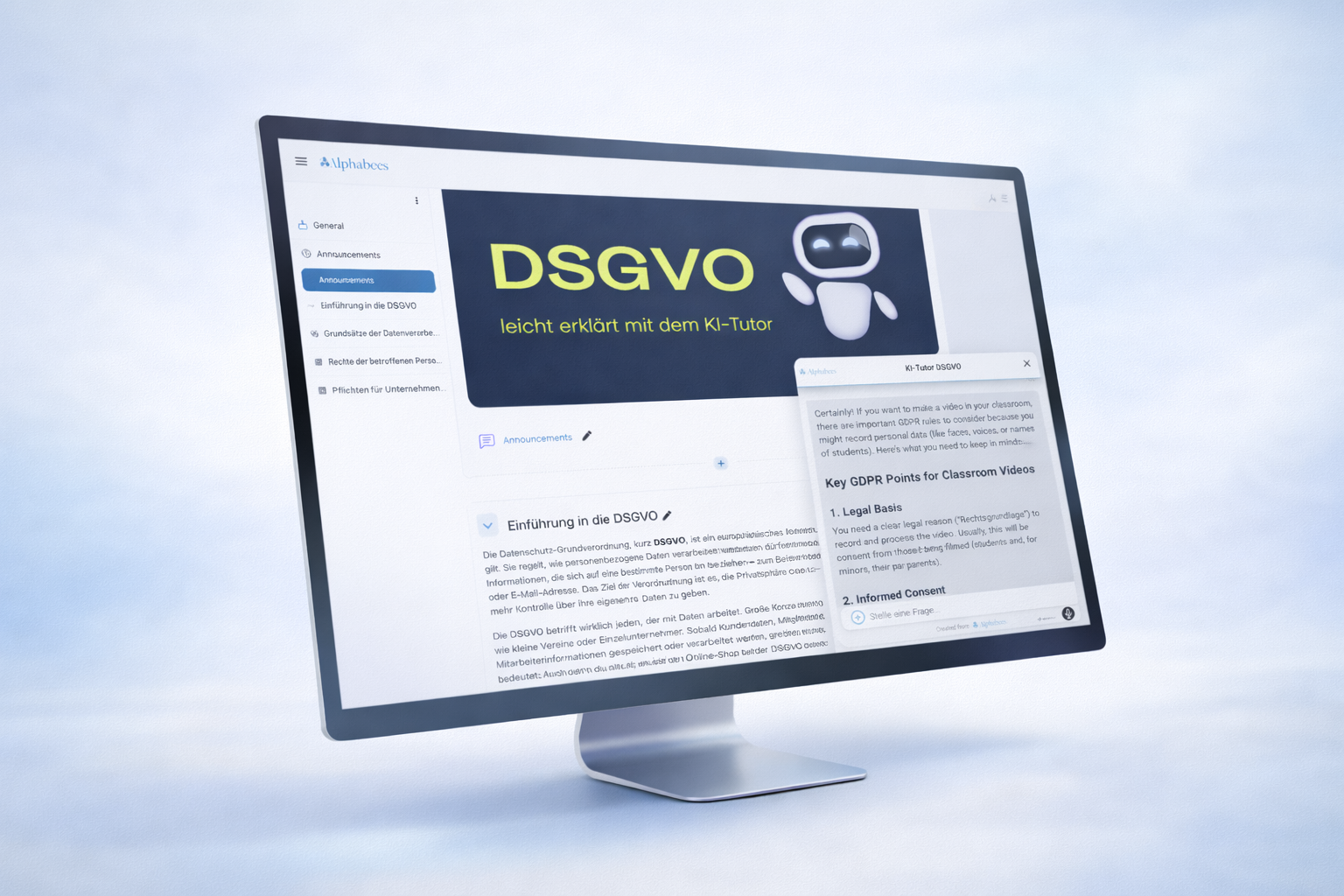
The Alphabees AI Tutor integrates as a plugin into any Moodle instance and is ready in just a few clicks. After activation, the tutor is available directly in courses — no technical setup required.

Adaptive Behavior
80+ Languages

Full Control

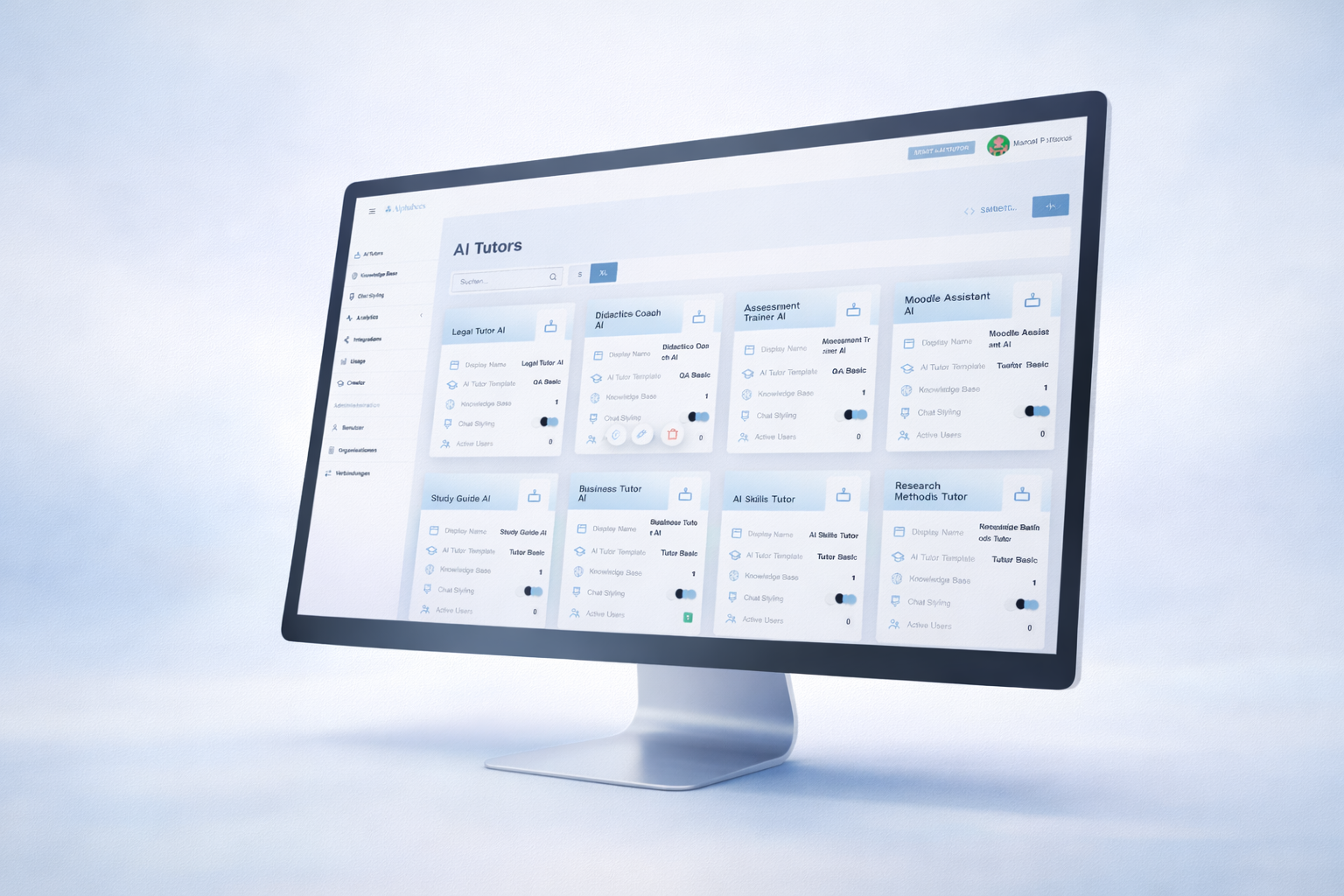
Manage tutor and knowledge in the Alphalearn Portal

From the Alphalearn Portal, admins centrally control the AI tutor and its knowledge sources. Content can be maintained, adjusted, and assigned per course. All changes take effect in real time in your connected Moodle instance.
Seamless Moodle Integration
Intelligent Learning AI

Moodle Mobile App

Ready to use in any Moodle app.

After activating the Alphabees AI tutor in the desired Moodle course, it appears automatically as a chat widget in the Moodle Mobile App. No additional app or software is needed. The tutor is seamlessly integrated into the e‑learning and available directly in the course.

Adaptive Behavior
80+ Languages

On all mobile devices

Because learning doesn’t only happen at the desk

When chatting with the Alphabees AI tutor, the chat window opens fullscreen like a familiar messenger. Learners can focus on the dialogue without distraction. Everything happens inside the Moodle app — GDPR‑compliant and with no extra login.

Seamless Moodle Integration

Supported by:

Setup

Four steps to an AI tutor in your Moodle course

You need admin rights in Moodle for the setup, but no programming skills. Course content and structure stay as they are.

01

Install the plugin

The plugin is called block_alphabees and is listed in the official Moodle plugins directory. Install it via Site administration › Plugins › Install plugins or by uploading the ZIP file.

02

Connect the portal

In the plugin settings you enter the key from your Alphalearn Portal. From then on you manage all AI tutors centrally in the portal.

03

Configure the AI tutor

In the portal you choose a template (e.g. Alpha Tutor), set didactics, AI model and usage limits and adapt colours, logo and tone of the chat to your branding.

04

Place it in a course

Place the tutor as a block in a course – or via course synchronisation in many courses at once. It automatically appears in the Moodle mobile app as well.

Moodle context

What the AI tutor understands in Moodle

Because the plugin runs directly in Moodle, the tutor knows more than just uploaded documents.

Course and activities

Sections, pages, PDFs, quizzes, lessons, H5P, SCORM packages as well as Articulate and iSpring courses are synchronised automatically. The tutor guides learners to the right place in the course.

Forum and calendar

Forum discussions feed into the knowledge base, so the tutor also knows topics that only came up during the course. Via the Moodle calendar it reminds learners of upcoming dates.

Progress and grades

Optionally the tutor uses course progress and grades: it picks learners up where they are and focuses explanations and exercises on weak results. Grading stays with the teachers.

Questions about the Moodle plugin.

The plugin is listed in the official Moodle plugins directory as block_alphabees. Moodle admins install it via Site administration › Plugins › Install plugins, or by uploading the ZIP file. Afterwards you connect it to your Alphalearn Portal in the plugin settings.
No. You need admin rights in Moodle for the installation, but no programming skills. You configure AI tutors in the Alphalearn Portal and place them in a course – as a block or via course synchronisation in many courses at once.
Yes. As soon as the tutor is active in a course, it automatically appears as a chat in the official Moodle mobile app – no additional app and no additional login. On smartphones the chat opens in full screen like a messenger.
The tutor automatically synchronises the content of its course: pages, PDFs, quizzes, lessons, forums, calendar, videos, H5P, SCORM packages as well as Articulate and iSpring courses. Optionally it takes course progress and grades into account to support learners more precisely.
The plugin itself is free. Using the AI tutors requires an Alphalearn plan: Basic, Professional or Enterprise for more than 250 learners. You can try the Professional plan free for 14 days. Details on the pricing page.
Step-by-step guides are available in the Alphalearn Academy and in the plugin wiki. For technical questions, reach our support via the contact page.

Still have questions?

Got more questions about Alphabees or the AI tutor? Our AI support bot is trained on all our knowledge — it can likely answer right away.

AI-Customer Support Live